# Classification plots
The classification plot visualizes categorical classification results across experimental conditions with flexible display modes for stacked percentages or individual biological replicates.
See the [API reference](../reference/index.md) for full signatures and parameter documentation.
# Examples
## Basic Stacked Classification
Create a standard stacked bar plot showing mean percentages with error bars:
``` python
from omero_screen_plots import classification_plot
import pandas as pd
df = pd.read_csv("data.csv")
fig, ax = classification_plot(
df=df,
classes=["normal", "micronuclei", "collapsed"],
conditions=["control", "treatment1", "treatment2"],
condition_col="condition",
class_col="classifier",
selector_col="cell_line",
selector_val="MCF10A",
display_mode="stacked",
title="Cell Morphology Classification",
save=True,
file_format="svg"
)
```
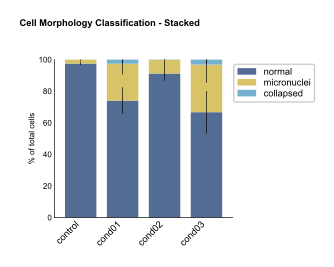
Basic Stacked Classification
## Individual Triplicates Display
Show individual biological replicates to assess experimental consistency:
``` python
fig, ax = classification_plot(
df=df,
classes=["normal", "micronuclei", "collapsed"],
conditions=["control", "treatment1", "treatment2"],
condition_col="condition",
class_col="classifier",
selector_col="cell_line",
selector_val="MCF10A",
display_mode="triplicates",
title="Individual Replicates"
)
```
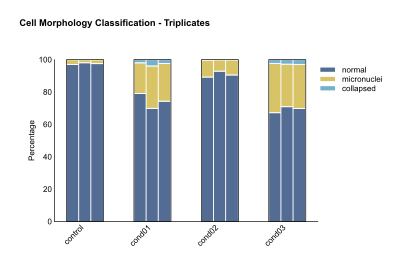
Individual Triplicates Display
## Grouped Conditions
Group related conditions for easier comparison:
``` python
fig, ax = classification_plot(
df=df,
classes=["normal", "micronuclei", "collapsed"],
conditions=["control", "treatment1", "treatment2", "treatment3"],
condition_col="condition",
class_col="classifier",
selector_col="cell_line",
selector_val="MCF10A",
display_mode="triplicates",
group_size=2,
title="Grouped Conditions"
)
```
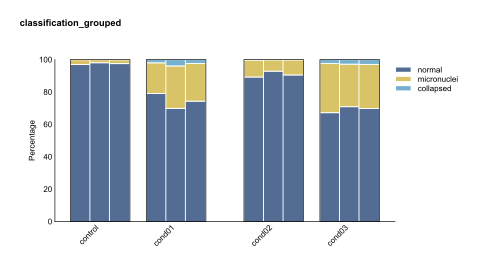
Grouped Conditions
## Custom Colors
Apply custom color schemes to match your classification categories:
``` python
from omero_screen_plots.colors import COLOR
custom_colors = [COLOR.GREY.value, COLOR.LIGHT_GREEN.value, COLOR.OLIVE.value]
fig, ax = classification_plot(
df=df,
classes=["normal", "micronuclei", "collapsed"],
conditions=["control", "treatment1", "treatment2"],
condition_col="condition",
class_col="classifier",
selector_col="cell_line",
selector_val="MCF10A",
display_mode="stacked",
colors=custom_colors,
title="Custom Color Scheme"
)
```
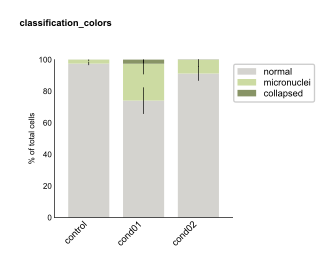
Custom Colors
## Multi-Panel Comparison
Create publication-ready figures comparing different display modes:
``` python
import matplotlib.pyplot as plt
fig, axes = plt.subplots(1, 3, figsize=(15, 5))
# Stacked mode
classification_plot(
df=df, classes=["normal", "micronuclei", "collapsed"],
conditions=["control", "treatment1", "treatment2"],
condition_col="condition", class_col="classifier",
selector_col="cell_line", selector_val="MCF10A",
display_mode="stacked", show_legend=False, axes=axes[0]
)
axes[0].set_title("Stacked Mode", fontweight='bold')
# Individual triplicates
classification_plot(
df=df, classes=["normal", "micronuclei", "collapsed"],
conditions=["control", "treatment1", "treatment2"],
condition_col="condition", class_col="classifier",
selector_col="cell_line", selector_val="MCF10A",
display_mode="triplicates", group_size=1, axes=axes[1]
)
axes[1].set_title("Individual Triplicates", fontweight='bold')
plt.tight_layout()
```
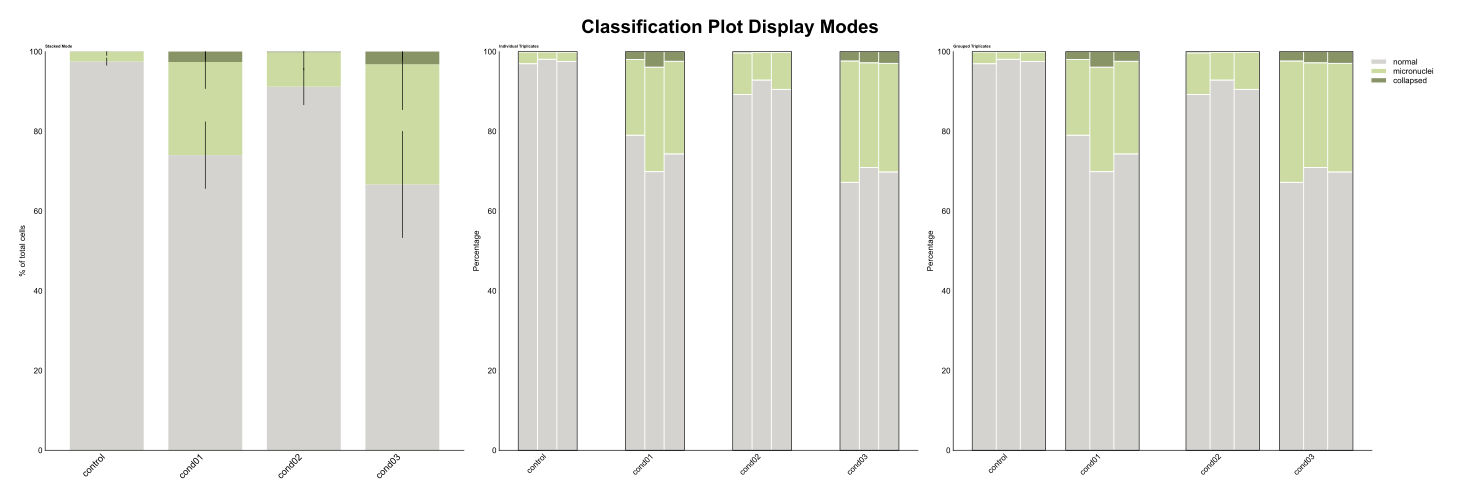
Multi-Panel Comparison